
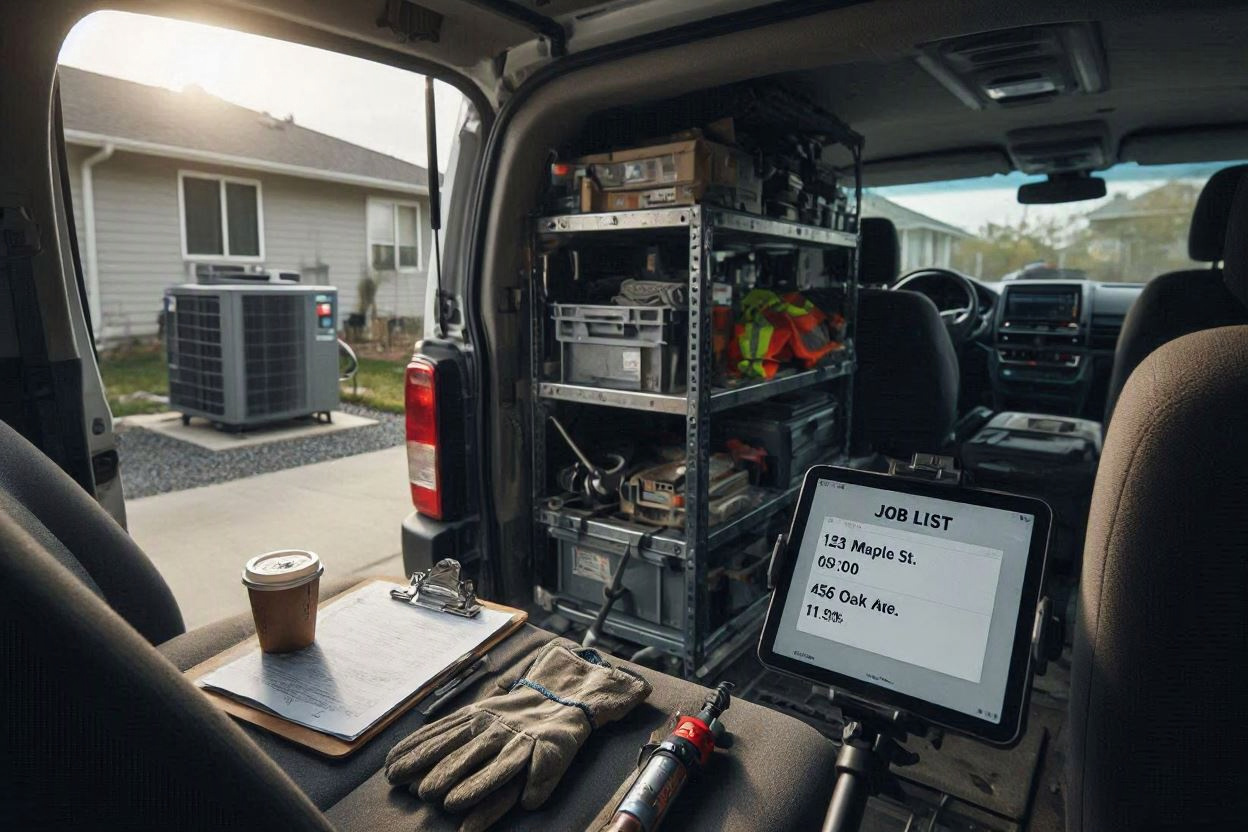
Jobber is the software I’d put in front of most small trade shops without hesitating. That’s not the same as saying it’s the best field service software, because it isn’t — it’s the best one for a particular size of business, and this review is mostly about finding out whether yours is that size.
Short version: if you run between one and about ten trucks and your work is service calls and maintenance visits rather than multi-phase installations, Jobber will do what you need at a price you can budget. Past that, it starts to strain. Here’s the detail behind that.
What Jobber Is
Jobber is a field service management platform covering quoting, scheduling, dispatch, invoicing, payments, and customer communication in one system. It’s built for home services broadly — HVAC, plumbing, electrical, landscaping, cleaning, pest control — rather than tuned for one trade.
That last point matters more than it sounds. Jobber doesn’t have an HVAC-specific price book or equipment-maintenance module, and if you came from a trade-specific tool, you’ll notice the absence. What you get instead is a system that’s straightforward to run and works the same way across whatever mix of work you take on. For a shop doing service calls, installs, and a bit of light commercial, that generality is usually an advantage.
What Each Plan Actually Gets You

Jobber publishes its pricing, which is worth noting because several of its competitors don’t. Four tiers, and the jump between them is where most of the decision lives:
| Plan | Price (1 user, annual) | What it adds |
|---|---|---|
| Core | $39/mo | Scheduling, quotes, invoices, client hub, online payments, mobile app |
| Connect | $99/mo | Automated reminders, automatic payment collection, job checklists, quote and invoice follow-ups, QuickBooks Online sync, time and expense tracking |
| Grow | $149/mo | Advanced quote customization, optional line items, automatic time tracking, job costing, two-way SMS, custom automation builder |
| Plus | $399–$529/mo | Crew scheduling, premium support, dedicated onboarding, marketing and pipeline tools included |
Month-to-month rates are higher across the board — Core is $49, Connect $139, Grow $199, and Plus runs $499–$699 depending on team size. Team plans include a set number of users, and every additional user is $29/month. If you’re weighing Plus specifically, Jobber has a separate Plus pricing page that lays out what’s bundled at that tier.
Where most small shops should land is Connect. Core is genuinely usable for a solo operator, but the moment you’re sending invoices to customers you’re chasing, the automated reminders and payment collection on Connect pay for the $60/month difference quickly. QuickBooks sync sits here too, which for most small shops is not optional.
Grow is worth it if job costing matters to you. That’s the feature that tells you whether a job actually made money after labour and materials, and it’s the reason to move up. Two-way SMS is here as well. If you’re pricing work at a flat rate and need to know your real margin per job, Grow is the tier.
Plus is a different conversation. Crew scheduling — assigning multiple people to one job — is Plus-only, and it’s desktop-only at that, which is a limitation worth knowing before you buy the tier for that feature alone. Plus also bundles Marketing Suite, Sales Pipeline, and unlimited Receptionist usage, which is why the price jumps.
The Add-Ons, and What They Cost
Jobber’s paid add-ons are separate from your plan and can be added or removed at any time:
- Marketing Suite — $79/month. Bundles campaigns, reviews, referrals, job showcase, social posting, and a marketing plan. Worth it if you’re actively chasing repeat business; reviews automation is the strongest piece.
- Sales Pipeline — $49/month. Lead tracking from first contact to booked job.
- Receptionist (Jobber AI) — $29/month. An AI receptionist that answers calls and texts when you can’t. Included with unlimited usage on Plus.
Jobber maintains a current list of available add-ons if you want to check what exists before subscribing.
On the Receptionist add-on, Jobber’s own documentation is inconsistent about the conversation allowance — one page states 30 conversations per month, another says 100. If you’re considering it, confirm the current limit with Jobber directly before relying on it.
Add up all three on a ten-user Grow plan and you’re at roughly $556/month before payment processing. That’s still a fraction of what an enterprise platform costs, but “Jobber is cheap” stops being accurate once you stack add-ons onto a team plan.
The Trial and the Payment Fees
Jobber runs a 14-day free trial on the Grow plan with no credit card required, which gives you full feature access rather than a stripped-down demo — you can start it here. Add-ons aren’t available during the trial, so if you want to test the Receptionist or Marketing Suite you’ll need to subscribe first.
Payment processing runs through Jobber Payments at standard card rates. That’s a real cost worth modelling — on a few hundred thousand dollars of annual card volume it’s a meaningful line item, though it’s comparable to what you’d pay any processor.
What Jobber Gets Right

The mobile app is the product. This is the single most-praised thing about Jobber across every review platform, and it’s the thing that matters most — software your technicians won’t use is software you don’t have. Techs pick it up in an afternoon without training. Job details, notes, photos, and forms are where they should be, and the client hub means customers can approve quotes and see appointment details without you fielding calls.
Scheduling is genuinely simple. The drag-and-drop calendar is readable at a glance, and for one person running a board while also answering the phone, that’s exactly the right design. Dispatch errors drop because the schedule is legible.
Setup is days, not months. You sign up, you’re running jobs the same week. No implementation consultant, no five-figure onboarding fee. For a small shop, this alone is a big part of the value.
QuickBooks Online sync works and stays working. It’s on Connect and above, and it’s one of the more reliable accounting integrations in this category.
The price is knowable before you talk to anyone. Combined with the free trial, you can evaluate Jobber on your own terms rather than sitting through a sales demo to find out what it costs — which is more than can be said for the enterprise end of this market.
Where Jobber Falls Short
These are the things that show up repeatedly in contractor complaints and in my own reading of the product.
Reporting Plateaus
This is the most consistent criticism. Jobber’s built-in reporting doesn’t go deep. Drilling into client-level or item-level profitability is awkward, and core business metrics aren’t all in one place. Reporting also historically limits how far back you can look, which becomes a problem when you want to compare this year to last. If you run on numbers rather than instinct, you’ll feel this.
Dispatch Thins Past Five or So Technicians
The board is built for a small crew. Reviewers running larger operations describe outgrowing it, and Jobber’s own crew-scheduling feature — which handles multiple people on one job — is locked to Plus and doesn’t work in the mobile app. Once you have a dedicated dispatcher routing crews by zone and skill, you’re past what Jobber is designed for.
No Flat-Rate Price Book
Jobber handles quotes, line items, and good/better/best options fine, but it isn’t a flat-rate pricing engine. Shops running a mature flat-rate model with a maintained price book often find themselves working around the software rather than with it. For HVAC in particular, this is the gap contractors mention most after reporting.
Thin on Maintenance Plans and Memberships
Service agreements are central to HVAC profitability, and Jobber’s treatment of them is basic. A membership or maintenance-plan program at any scale is going to feel under-supported.
Offline Behaviour Is Disputed
This one deserves care, because the reports genuinely conflict. Some reviewers describe the app handling poor signal well — filling out forms and tracking time offline, then syncing when coverage returns. Others report the app requiring a live connection, and there are accounts of items closed on desktop still showing open on mobile, causing double work. What seems clear is that sync can lag and that basement, rural, and commercial mechanical-room calls are where people notice it. If your technicians regularly work out of signal, test this specifically during the trial rather than trusting either camp.
Rigid on Complex and Project Work
Jobber is built around cookie-cutter service jobs. Multi-phase projects, change orders, and multiple invoices under one job are all awkward or absent, and the quoting interface is stiff if you need to restructure line items mid-job. If your work is more construction-like than service-like, this is the wrong product.
The User-Count Model
Plans scale by users, not technicians, and a user is anyone who touches the schedule — including you at the desk. Hire an office manager and you may move up a tier. It’s not unreasonable pricing, but it surprises people, and it’s worth modelling before you commit rather than after.
Who Jobber Is Right For
Good fit:
- One to ten technicians, service and maintenance work
- An owner or office manager running the schedule alongside other duties
- Shops that want to start this week without a consultant
- Anyone who wants to see the price before sitting through a demo
- Mixed trades or a general handyman operation
Poor fit:
- Fifteen or more technicians, or a dedicated dispatch function
- Installation or project-heavy work needing change orders and phased invoicing
- Shops whose flat-rate price book is central to how they sell
- Businesses running a large maintenance-plan program
- Anyone who needs real per-job profitability reporting out of the box
Jobber vs the Alternatives
If you’re weighing it against the enterprise end of the market, we covered that in detail in our ServiceTitan vs Jobber comparison — the short version is that ServiceTitan costs several times more per technician and expects a twelve-month commitment, and is only worth it once you’re past roughly fifteen to twenty techs.
If you’re still choosing between platforms rather than evaluating this one, our guide to HVAC dispatch software for small shops covers the wider field.
Our Verdict
Jobber earns a recommendation for small trade shops, with the caveat that “small” is doing real work in that sentence.
What it gets right is the stuff that matters daily: a mobile app technicians actually use, a schedule one person can run, honest pricing you can see before you commit, and setup measured in days. What it gets wrong mostly appears as you grow — reporting depth, dispatch complexity, flat-rate pricing, and maintenance plan management.
For a shop running one to ten trucks on service work, those weaknesses are either irrelevant or manageable. For a shop at fifteen trucks with a dispatcher and a mature flat-rate model, they’re the whole job, and you’d be better served elsewhere.
If you’re in the first group, start the trial and put it through a week of real jobs before you decide. Software that looks fine in a demo can still fall apart on a Tuesday afternoon with three trucks waiting and a customer on hold.
Frequently Asked Questions
How Much Does Jobber Cost?
Jobber’s plans run from $49/month (Core, one user, month-to-month) up to $699/month (Plus, fifteen users, month-to-month). Billed annually those drop considerably — Core to $39, Connect to $99, Grow to $149, and Plus to between $399 and $529 depending on team size. Additional users beyond a plan’s included count cost $29/month each.
Is there a Free Trial?
Yes — 14 days with full feature access on the Grow plan, no credit card required. Add-ons like Marketing Suite and Receptionist aren’t available during the trial, so you can’t test those without subscribing first.
Does Jobber Work Offline?
Reports conflict. Some users describe filling out forms and tracking time with no signal, syncing once coverage returns; others report the app needing a live connection, and there are accounts of desktop and mobile falling out of sync. Test it with your own technicians during the trial, particularly if they work in basements, rural areas, or commercial mechanical rooms.
Which Jobber Plan Should a Small Shop Choose?
Connect, for most. It’s the tier where automated reminders, automatic payment collection, and QuickBooks Online sync appear, and those three carry most of the day-to-day value. Move up to Grow if job costing matters — knowing your true margin per job after labour and materials. Core is fine for a genuine solo operator with no accounting needs.
Can Jobber Handle a 10-Truck HVAC Shop?
Yes, and that’s roughly the upper edge of where it’s comfortable. Reporting is the first thing to strain, followed by dispatch depth as you add crews. Jobber’s own crew-scheduling feature is Plus-only and desktop-only, so if you’re assigning multiple technicians to single jobs, check that the workflow suits you before buying the tier for it.
Does Jobber Have a Flat-Rate Price Book?
No. It handles quotes and line items well but isn’t a flat-rate pricing engine. Shops running a maintained flat-rate price book with good/better/best options generally find themselves working around the software. This is the most common HVAC-specific complaint about the product.
What are Jobber’s Paid Add-Ons?
Marketing Suite at $79/month (campaigns, reviews, referrals, social posting, marketing plan), Sales Pipeline at $49/month, and Receptionist at $29/month for AI call and text answering. All three are included with the Plus plan. Jobber’s own documentation gives conflicting conversation allowances for Receptionist, so confirm the current limit before relying on it.
Is Jobber Good for Plumbing and Electrical too?
Yes. Jobber isn’t built for one trade, so it works similarly across HVAC, plumbing, electrical, and landscaping. Plumbing shops doing service-visit work tend to report the strongest fit. The gaps are the same regardless of trade: reporting depth, flat-rate price books, and project-style work.
Can I Switch From Jobber Later?
You can, and plenty of shops do — typically moving to an enterprise platform once they pass fifteen technicians. Migration is disruptive whichever direction you go, but Jobber has no lock-in contract, so you’re not paying out a term to leave. Export your data before you cancel.
Pricing, plan features, and add-on costs in this article were verified against Jobber’s published pricing page and help centre in September 2026. Promotional pricing is sometimes available and may make rates temporarily lower than those shown. Software pricing changes frequently — confirm current rates with the vendor before making a decision. Some links on this page are affiliate links, and we may earn a commission if you sign up through them at no extra cost to you. See our Affiliate Disclaimer for details. Our How We Review Products page explains how we test and what we weight. Learn more about who we are.