

If you’ve been quoted for ServiceTitan and the number made you sit down, you’re in good company. It’s a genuinely good platform. It’s also built and priced for shops with dispatchers, office staff, and a fleet — not for a five-truck operation where the owner still runs calls.
ServiceTitan has said as much itself. In a Better Business Bureau response, the company stated its platform isn’t optimized for businesses with three or fewer technicians. That’s an honest position, and it means the question isn’t whether ServiceTitan is good. It’s what you buy instead.
This page covers seven alternatives with the numbers attached, what each one actually does, and where each stops. If you want the broader picture first, our guide to the best HVAC dispatch software for small shops covers the same market from a different angle, and the five-truck shop breakdown goes deeper on the smallest end.
What ServiceTitan Actually Costs
ServiceTitan does not publish prices. Their pricing page lists three tiers — Starter, Essentials, and The Works — and routes every visitor to a quote request. So everything below is buyer-reported rather than vendor-confirmed, and you should treat it as a range rather than a rate card.
| Cost element | Reported figure |
|---|---|
| Per technician, per month | $245–$500 depending on tier |
| Implementation fee | $5,000–$50,000, one-time |
| Typical 5–20 tech shop | $10,000–$25,000 before go-live |
| Contract minimum | 12 months, often 24–36 |
| Lead time to working | 2–12 months |
Two terms matter more than the per-tech rate, and both come from ServiceTitan’s own documentation.
The three-managed-technician minimum. Their onboarding documentation states that if you sign up at the minimum access level of three managed technicians, you’re billed for three even if you’ve added fewer. A two-truck shop pays for three.
Early termination. The Terms of Use state that terminating before the end of the term means owing all remaining payments for that term. On a 24-month agreement signed in month three, that’s 21 months of fees.
We go through the pricing model and contract terms in more detail in our ServiceTitan vs Jobber comparison.
So the target for an alternative is clear: a published price, no implementation fee, no multi-year commitment, and a monthly total that doesn’t assume you have a dispatch department.
The Seven, Priced Side by Side
All figures below are published starting prices on annual billing, read from each vendor’s own pricing page. Where a vendor doesn’t publish, the table says so rather than repeating a third-party estimate.
| Platform | Starts at | How it counts people | Best for |
|---|---|---|---|
| Service Fusion | $208/mo | Unlimited users, flat | Growing crews that hate per-seat bills |
| Housecall Pro | $79/mo | Included by plan (1, 5, 8) | Flat-rate HVAC and plumbing shops |
| Jobber | $39/mo | Per user, $29 each extra | Small shops wanting the simplest tool |
| Kickserv | $60/mo | Included by plan (5, 10, 20) | Tight budgets, five users |
| ServiceM8 | $29/mo | Unlimited users, capped by jobs | Low-volume solo and two-person crews |
| FieldPulse | Not published | Per seat | Shops wanting depth without enterprise weight |
| Workiz | Not published | Per user | Phone-driven businesses |
Two rows in that table behave differently from everything else, and they’re worth understanding before you read the rest. Service Fusion and ServiceM8 both price by something other than headcount — one by plan regardless of users, the other by monthly job volume. That’s why both can look dramatically cheaper at larger team sizes and less impressive at smaller ones.
Service Fusion: The Flat-Price Option
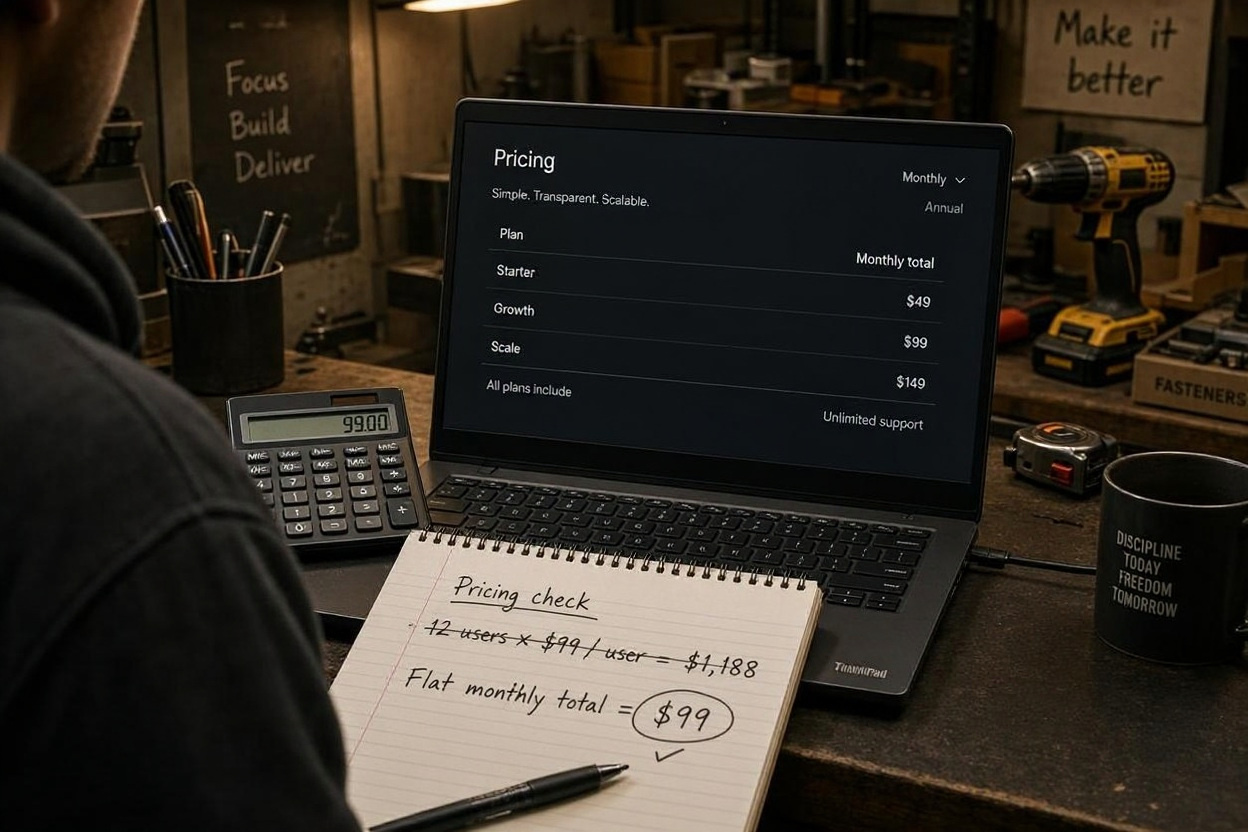
Published price: $208, $325, or $533 per month billed annually. Month-to-month runs $245, $382, and $627. Every plan includes unlimited users.
This is the structural alternative to ServiceTitan, because it attacks the thing that makes ServiceTitan expensive. ServiceTitan charges per technician. Service Fusion charges per company. At ten technicians on the Starter plan, that’s $20.80 per person per month versus a reported $245–$500 on ServiceTitan.
What you give up is depth. Service Fusion is competent at scheduling, dispatch, invoicing, job costing, inventory, and QuickBooks — including QuickBooks Desktop, which several competitors still don’t handle. It’s not trying to be ServiceTitan. It doesn’t have the price book depth, the marketing attribution, or the reporting that a larger operation builds its week around.
One caution: Service Fusion’s pricing is reported inconsistently across sources. Their own pricing page and most trackers show the figures above, but at least one aggregator lists lower numbers and claims a price drop in August 2026. Confirm on the vendor page before you budget.
Choose it if: you have eight or more people who need system access, you want cost predictability as you hire, or you run QuickBooks Desktop.
Skip it if: you’re a solo operator or a two-person crew. At that size you’re paying for unlimited seats you don’t have.
Housecall Pro: The Closest Match to ServiceTitan’s Feature Set
Published price: $79/month Basic, $299/month Essentials for five users on the HVAC package, $649/month MAX for eight.
Housecall Pro is the alternative that gets closest to what ServiceTitan does — and in July 2026 it went further, launching dedicated packages for HVAC, plumbing, and electrical contractors with features previously reserved for enterprise platforms.
On the HVAC package, all tiers include a KPI dashboard, purchase orders, fee-free card surcharging, and technician efficiency reporting. Essentials adds flat-rate pricing, the Sales Proposal Tool, membership plans, and price-book commissions by line item. MAX adds route optimization, Pipeline, and AI pricing insights.
For an HVAC shop, the combination of flat-rate price book and the Sales Proposal Tool is the argument. Good/better/best pricing in front of a homeowner, with commissions paid automatically off what each tech sells, is a different business model from time-and-materials — and Housecall Pro is built for it.
The catch is that their pricing is genuinely hard to pin down. Their general pricing page and their HVAC page quote different figures for the same tier names, extra-user rates appear as both $35 and $75 depending on which page you read, and most add-ons have no published price at all. Get a written quote before you commit.
Choose it if: you sell flat-rate, want marketing and reviews in the same tool, and are willing to work through a sales conversation to get the real number.
Skip it if: you need to budget precisely before you talk to anyone, or your pricing is time-and-materials.
We cover it in full in our Housecall Pro review.
Jobber: The Simplest Cheapest Entry
Published price: $39/month Core for one user, $99/month Connect, $299/month Grow for ten users.
Jobber is the alternative for shops that find ServiceTitan intimidating and Housecall Pro expensive. Setup takes hours rather than months, the mobile app is rated higher than either competitor, and pricing is published plainly on their own pages.
Route optimization is included at every tier — which Housecall Pro gates to MAX at $649/month. For a shop whose days are spent driving between calls, that’s a meaningful difference in both capability and cost.
What Jobber doesn’t have is a flat-rate price book. There’s no equivalent to Housecall Pro’s good/better/best pricing at any tier. If you sell flat-rate, that’s the single feature that rules Jobber out.
Its reporting also plateaus earlier than the other two, and its dispatch board thins out past a handful of crews. Neither matters much at five people; both matter at fifteen.
Choose it if: you want a published price, fast setup, the best mobile app, and you bill time-and-materials.
Skip it if: flat-rate pricing is central to how you sell.
Full detail in our Jobber review.
Kickserv and ServiceM8: The Budget End
These two are worth knowing about because they undercut everything else — but they do it in ways that don’t suit every shop.
Kickserv starts at around $60/month for five users on an annual plan. It’s the cheapest way to get a real dispatch and invoicing system with included users rather than per-seat charges, and it offers two-way QuickBooks sync, which some pricier tools don’t. What it lacks is depth: reporting is thin, automation is limited, and it’s a step behind on the mobile experience.
ServiceM8 is $29/month for unlimited users and 50 jobs per month, rising to $79 for 150 jobs and $149 for 500. That model is unusual and worth understanding: it charges by job volume, not headcount. So adding a fourth technician doesn’t raise the bill, but a busy month might.
That’s genuinely useful for a low-volume shop with a crew — a three-person operation doing 40 jobs a month pays $29 for everyone. It’s much less useful for a busy service business, where the job caps push you to $149 or beyond and the advantage evaporates.
Choose either if: budget is the deciding factor, or you’re small enough that volume caps won’t bite.
Skip them if: you need HVAC-specific depth like a flat-rate price book or equipment history.
FieldPulse and Workiz: Quote-Only
Both are credible platforms, and both make budgeting harder by not publishing prices.
FieldPulse sells per seat, with third-party trackers reporting office seats somewhere around $65–$115 per seat per month depending on tier. A five-person team is commonly reported near $450/month before add-ons — against roughly $169 on Jobber or $189 on Housecall Pro for comparable headcount. It offers real depth including inventory management, maintenance agreements, and job costing on the base plan, and it’s aimed at shops that want more than Jobber without an implementation project.
Workiz is built around the phone as the front door, with caller ID lookup against your customer database and call flow handling. For a business where jobs arrive by ringing, that’s the differentiating feature. Their plans sit behind “request pricing,” and the trial runs seven days rather than fourteen.
Neither is a bad choice. Both are harder to evaluate up front than the platforms that publish rates, which for a small shop making a first software decision is a real consideration.
The Crossover Point, Calculated
Here’s the arithmetic that decides between flat pricing and per-seat pricing, using published annual rates.
| Team size | Service Fusion Starter | Housecall Pro | Jobber |
|---|---|---|---|
| 1 user | $208 | Basic $79 | Core $39 |
| 5 users | $208 | Essentials $299 | Connect $229 |
| 8 users | $208 | MAX $649 | Grow $299 (10 incl.) |
| 12 users | $208 | MAX $649 + 4×$35 | Grow $299 (10 incl.) |
| 20 users | $208 | MAX $649 + 12×$35 | Plus ~$529 to 15, then quote |
Three conclusions fall out of that.
Below five users, Service Fusion is the most expensive option on the table. At one user it’s $208 against $39 on Jobber Core. Flat pricing only pays when you have people to spread it across.
From roughly six users, Service Fusion starts winning on subscription. At eight users it’s $208 against $649 on Housecall Pro MAX — a $441 monthly difference, or about $5,300 a year. That gap is large enough to matter more than most feature differences.
Jobber stays competitive longer than you’d expect because Grow includes ten users for $299. It only falls behind once you’re past ten and pushed toward Plus or per-seat additions.
The point isn’t that one model is better. It’s that the answer depends on your headcount today and where it’ll be in two years — and buying a platform sized for ten people when you have two is the most common expensive mistake in this category.
How to Choose in One Pass

Forget the feature comparison for a moment and answer four questions.
- Do you sell flat-rate? If yes, Housecall Pro is the only one of these with a real flat-rate price book built in. That ends the conversation.
- How many people need system access? Under five, pay per user and take Jobber or Housecall Pro. Over eight, flat pricing from Service Fusion is hard to argue with.
- Do you run QuickBooks Desktop? That narrows the field sharply — Kickserv, Service Fusion, and FieldEdge handle it; several others don’t.
- Do you need to know the price before you commit? If yes, rule out Workiz and FieldPulse, and get Housecall Pro’s number in writing before you believe any figure.
If you answer yes to the flat-rate question, you’re done. If you answer no and have fewer than five people, Jobber is the safest first purchase. If you answer no and have more than eight, cost Service Fusion properly before signing anything per-seat.
Our Verdict
There’s no single best alternative to ServiceTitan, because ServiceTitan’s problem isn’t quality — it’s fit. Three platforms cover almost every small shop:
Housecall Pro if you sell flat-rate and want the closest thing to ServiceTitan’s feature set without the implementation fee or the multi-year contract. It’s the most capable of the seven and the hardest to price up front.
Service Fusion if headcount is your cost problem. Flat pricing with unlimited users is a genuine structural advantage once you’re past six or seven people, and it’s the one alternative here that gets cheaper per person as you grow.
Jobber if you want a published price, a working system by next week, and you don’t need a price book. It’s the lowest-risk starting point in the category.
Every page on this site follows the same process — we verify prices from vendor sources, label anything we can’t confirm, and say so when a vendor won’t publish. If you want to know exactly how we work, it’s set out on our How We Review Products page.
Frequently Asked Questions
What is the Cheapest ServiceTitan Alternative?
On published starting prices, ServiceM8 at $29/month for unlimited users and 50 jobs, and Jobber Core at $39/month for one user. Both have catches: ServiceM8’s job cap will push a busy shop to $79 or $149, and Jobber Core is a single-user plan with estimating and automation gated to higher tiers. Kickserv at around $60/month for five users is the cheapest way to get a genuine multi-user system.
How Much Does ServiceTitan Cost Per Month?
ServiceTitan doesn’t publish pricing, so the figure is buyer-reported: roughly $245 to $500 per technician per month depending on tier, plus a $5,000 to $50,000 implementation fee, on a 12-month minimum contract. For a ten-technician shop on the Essentials tier, contractors commonly report $3,000–$4,000 per month before add-ons.
Is ServiceTitan Good For a Small Shop?
ServiceTitan has itself stated in a BBB response that the platform isn’t optimized for companies with three or fewer technicians. Combined with the three-managed-technician billing minimum and the early-termination clause in its Terms of Use, it’s a poor fit below roughly ten technicians and a questionable one until you have dedicated office staff.
Which Alternative is Closest to ServiceTitan’s Features?
Housecall Pro. On its HVAC package, Essentials and above include flat-rate pricing, the Sales Proposal Tool, membership plans, price-book commissions, equipment tracking, and QuickBooks sync. MAX adds route optimization, Pipeline, and AI pricing insights. It lacks ServiceTitan’s depth in reporting and marketing attribution, but it covers the operational core at a fraction of the cost and without an implementation project.
Is Service Fusion Really Unlimited Users?
Yes — every plan includes unlimited users, and Service Fusion explicitly states that your price doesn’t change whether you have one technician and a dispatcher or twenty technicians and a full office. That’s the entire point of the platform. The trade-off is that the entry price, $208/month on annual billing, is higher than per-seat competitors at small team sizes.
When Does Flat Pricing Beat Per-User Pricing?
Roughly from six users onward, comparing Service Fusion Starter against Housecall Pro. At five users Service Fusion is around $59 more per month; at eight it’s $441 less than Housecall Pro MAX and $91 less than Jobber Grow. At twenty users it works out to about $10.40 per seat. Below five users, per-seat pricing is almost always cheaper.
Does Jobber Have a Flat-Rate Price Book?
No. Jobber doesn’t offer a flat-rate price book at any tier — there’s no equivalent to Housecall Pro’s good/better/best pricing structure. If flat-rate selling is central to your business, that single missing feature rules Jobber out regardless of everything else it does well.
Can I Switch From ServiceTitan Without Paying a Penalty?
Only at the end of your contract term. ServiceTitan’s Terms of Use state that early termination means owing all remaining payments for the term. If you’re mid-contract, switching means paying out the remainder. Export your data before you give notice, not after — and check what notice period your agreement requires.
Which alternative has the best Mobile App?
Jobber is the most consistently praised, particularly for offline behaviour and reliability compared to other field service apps. Housecall Pro’s iOS app is also rated highly, though users report more friction on Android. Since the app is what your technicians actually touch every day, and the platform is what you touch, testing the app on live jobs during a trial is the most useful thing you can do.
Do any of these need a Long Contract?
Most don’t. Jobber, Housecall Pro, Service Fusion, ServiceM8, and Kickserv all offer month-to-month billing, with annual plans discounted in exchange for the commitment. Service Fusion states no contract requirements on any plan. The exception is ServiceTitan itself, which requires a 12-month minimum and often pushes longer terms for better rates.